I’ve been contributing to Quarkus LangChain4j for a while now, you can see my closed PRs here. At some point, people started asking me: “But how does it compare to Spring AI or plain LangChain4j?”
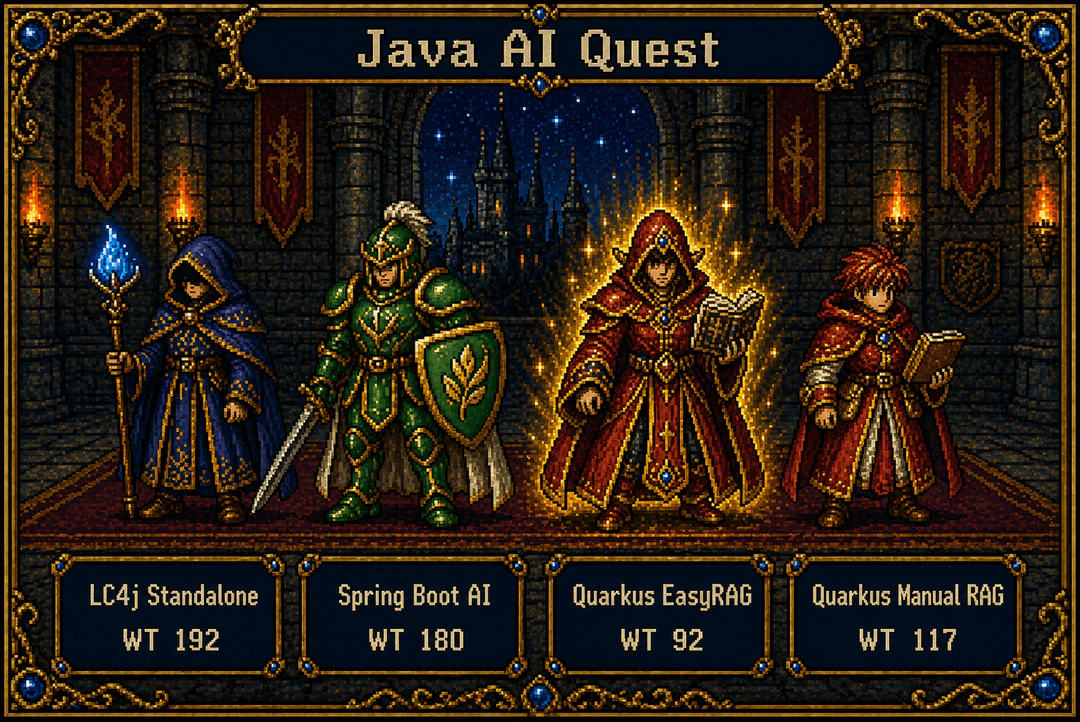
Good question. So I built the same app four times to find out: with LangChain4j Pure, Spring AI, Quarkus LangChain4j with EasyRAG, and Quarkus LangChain4j with a manual RAG pipeline.
What I Built
Same features across all four projects:
- Chat: talk to a local LLM with multi-user memory
- RAG: augment responses with your own documents
- Tool Calling: let the model invoke Java methods (e.g., a calculator)
Same stack everywhere:
- Java 25 (LTS)
- Ollama running locally with qwen3:1.7b for chat and nomic-embed-text for embeddings
- Maven for build
No cloud APIs, no API keys. Everything runs on your machine.
Each project exposes the same 3 endpoints:
/ai/chat: chat with memory, no RAG/ai/rag: chat with RAG + memory/ai/tools: tool calling with memory, no RAG
The Four Contenders
- LangChain4j 1.13.1 (Pure): The standalone library. No framework, no magic. You wire everything yourself with Javalin as the web server. This is the idiomatic approach when you’re not using a framework:
AiServices.builder()is the official pattern for standalone use. - Spring AI 1.1.4: Spring’s official AI integration. Uses the Advisor pattern,
ChatClient, and Spring Boot auto-configuration.RetrievalAugmentationAdvisorwithContextualQueryAugmenteris the current best practice for RAG. - Quarkus LangChain4j 1.8.4 with EasyRAG: The Quarkus LangChain4j extension (Quarkiverse) brings LangChain4j into the Quarkus ecosystem. This variant uses the EasyRAG extension for zero-config RAG. CDI, declarative AI services via
@RegisterAiService,@ApplicationScopedwith@MemoryIdis the documented pattern for multi-user chat. - Quarkus LangChain4j 1.8.4 without EasyRAG: Same Quarkus LangChain4j extension, but replaces EasyRAG with a manual RAG pipeline (a CDI bean producing a
RetrievalAugmentor). This variant usesTextDocumentParserinstead of Tika, matching the document parsing approach of LangChain4j Pure and Spring AI. It costs ~25 lines of Java but eliminates Tika’s startup overhead.
The Result
| Metric | LangChain4j Pure | Spring AI | Quarkus LangChain4j + EasyRAG | Quarkus LangChain4j (manual RAG) |
|---|---|---|---|---|
| Total Java LOC | 192 | 180 | 92 | ~117 |
| RAG Java LOC | ~30 | 50 (RagConfig) | 0 | ~25 (RagConfig) |
| Manual wiring | Extensive | Moderate | None | Moderate |
| Separate AI Services | 3 interfaces + 3 builders | 3 ChatClients | 2 interfaces (declarative) | 2 interfaces (declarative) |
Quarkus LangChain4j with EasyRAG does the same job with 52% less code than LangChain4j Pure and 49% less than Spring AI. The manual RAG variant costs ~25 lines more but still beats both alternatives.
Let me show you why.
Chat: Where It All Starts
LangChain4j Pure: Build Everything
ChatModel chatModel = OllamaChatModel.builder()
    .baseUrl("http://localhost:11434")
    .modelName("qwen3:1.7b")
    .timeout(Duration.ofMinutes(5))
    .build();

Assistant assistant = AiServices.builder(Assistant.class)
    .chatModel(chatModel)
    .chatMemoryProvider(memoryId ->
        MessageWindowChatMemory.withMaxMessages(20))
    .build();
That’s just the wiring for one AI service. You need three separate AiServices.builder() calls for chat, RAG, and tools, plus a separate interface for each. You also need to manually start Javalin, define routes, and handle requests. The Application.java alone is 145 lines.
Spring AI: Less Boilerplate, Still Verbose
public AiResource(ChatModel chatModel, VectorStore vectorStore,
        ChatMemory chatMemory, CalculatorTool calculatorTool) {
    MessageChatMemoryAdvisor memoryAdvisor =
        MessageChatMemoryAdvisor.builder(chatMemory).build();

    this.chatClient = ChatClient.builder(chatModel)
        .defaultAdvisors(memoryAdvisor)
        .build();

    this.ragChatClient = ChatClient.builder(chatModel)
        .defaultAdvisors(memoryAdvisor, ragAdvisor)
        .build();

    this.toolsChatClient = ChatClient.builder(chatModel)
        .defaultAdvisors(memoryAdvisor)
        .build();
}
Spring AI 1.1.4 auto-configures the ChatMemory bean (InMemoryChatMemoryRepository + 20-message window), nice. But you still manually build each ChatClient, wire the advisors, and pass the conversation ID per-request. AiResource.java is 91 lines, plus RagConfig.java is another 50.
Quarkus LangChain4j: An Interface and Properties
@RegisterAiService(retrievalAugmentor = RegisterAiService.NoRetrievalAugmentorSupplier.class)
@ApplicationScoped
public interface Assistant {
    String chat(@MemoryId String userId, @UserMessage String message);
    @ToolBox(CalculatorTool.class)
    String chatWithTools(@MemoryId String userId, @UserMessage String message);
}
quarkus.langchain4j.ollama.chat-model.model-id=qwen3:1.7b
quarkus.langchain4j.ollama.timeout=5m
quarkus.langchain4j.chat-memory.type=message-window
quarkus.langchain4j.chat-memory.memory-window.max-messages=20
That’s it. CDI handles model, memory, and tools wiring. @ApplicationScoped keeps the service (and its memory) alive across requests: the documented pattern for multi-user chat with @MemoryId. AiResource.java is 39 lines.
RAG: The Biggest Difference
This is where the gap really shows.
LangChain4j Pure: ~30 Lines of Pipeline
EmbeddingStore<TextSegment> embeddingStore = new InMemoryEmbeddingStore<>();

List<Document> documents = FileSystemDocumentLoader.loadDocuments(
    Path.of("src/main/resources/rag-docs"), new TextDocumentParser());

EmbeddingStoreIngestor ingestor = EmbeddingStoreIngestor.builder()
    .documentSplitter(DocumentSplitters.recursive(200, 30))
    .embeddingModel(embeddingModel)
    .embeddingStore(embeddingStore)
    .build();
ingestor.ingest(documents);

ContentRetriever contentRetriever = EmbeddingStoreContentRetriever.builder()
    .embeddingStore(embeddingStore)
    .embeddingModel(embeddingModel)
    .maxResults(3)
    .minScore(0.5)
    .build();
Load documents, split them, generate embeddings, store them, build a retriever. Every step is explicit. Requires a separate RagAssistant interface wired with .contentRetriever().
Spring AI: RetrievalAugmentationAdvisor + 50-Line ETL Pipeline
Spring AI 1.1.4 offers two RAG advisors: QuestionAnswerAdvisor (simpler) and RetrievalAugmentationAdvisor (modular). We use RetrievalAugmentationAdvisor: the documented best practice for this use case. With ContextualQueryAugmenter.allowEmptyContext(true), queries without relevant documents pass through unchanged rather than being rejected. This is cleaner than QuestionAnswerAdvisor, which always includes a template in the prompt, even for general chat, adding noise that hurts small local models.
RetrievalAugmentationAdvisor ragAdvisor = RetrievalAugmentationAdvisor.builder()
    .documentRetriever(VectorStoreDocumentRetriever.builder()
        .similarityThreshold(0.5)
        .vectorStore(vectorStore)
        .build())
    .queryAugmenter(ContextualQueryAugmenter.builder()
        .allowEmptyContext(true)
        .build())
    .build();

this.ragChatClient = ChatClient.builder(chatModel)
    .defaultAdvisors(memoryAdvisor, ragAdvisor)
    .build();
The advisor setup is clean. The catch is the VectorStore: Spring AI doesn’t auto-configure SimpleVectorStore, so you must build the ETL pipeline yourself:
@Configuration
public class RagConfig {
    private final EmbeddingModel embeddingModel;

    public RagConfig(EmbeddingModel embeddingModel) {
        this.embeddingModel = embeddingModel;
    }

    @Bean
    public VectorStore vectorStore() throws IOException {
        SimpleVectorStore vectorStore = SimpleVectorStore.builder(embeddingModel).build();
        PathMatchingResourcePatternResolver resolver = new PathMatchingResourcePatternResolver();
        Resource[] resources = resolver.getResources("classpath:rag-docs/*.txt");

        List<Document> allDocuments = new ArrayList<>();
        for (Resource resource : resources) {
            TextReader textReader = new TextReader(resource);
            allDocuments.addAll(textReader.get());
        }

        TokenTextSplitter splitter = TokenTextSplitter.builder()
            .withChunkSize(200).withMinChunkSizeChars(50).build();
        vectorStore.add(splitter.apply(allDocuments));
        return vectorStore;
    }
}
Quarkus LangChain4j: 3 Properties, 0 Java Code
quarkus.langchain4j.easy-rag.path=src/main/resources/rag-docs
quarkus.langchain4j.easy-rag.reuse-embeddings.enabled=true
quarkus.langchain4j.easy-rag.max-segment-size=200
That’s it. The EasyRAG extension handles loading, splitting, embedding, storing, and retrieving. It auto-creates a RetrievalAugmentor CDI bean that @RegisterAiService picks up. NoRetrievalAugmentorSupplier opts out on non-RAG services. It even caches embeddings to disk so you don’t re-process them on every restart.
No Java code for RAG. Not 30 lines, not 50 lines. Zero.
Quarkus LangChain4j Without EasyRAG: 25 Lines, No Tika
EasyRAG’s zero-config convenience comes with a tradeoff: Apache Tika’s classpath scanning adds ~5s to cold start. If you don’t need multi-format document parsing, you can replace EasyRAG with a manual RAG pipeline:
public class RagConfig {
    private volatile RetrievalAugmentor augmentor;

    void onStart(@Observes StartupEvent ev, EmbeddingModel embeddingModel) {
        augmentor = buildRetrievalAugmentor(embeddingModel);
    }

    @Produces @ApplicationScoped
    public RetrievalAugmentor retrievalAugmentor() { return augmentor; }

    private RetrievalAugmentor buildRetrievalAugmentor(EmbeddingModel embeddingModel) {
        EmbeddingStore<TextSegment> embeddingStore = new InMemoryEmbeddingStore<>();
        DocumentParser parser = new TextDocumentParser();
        List<Document> documents = FileSystemDocumentLoader.loadDocuments(
                Path.of("src/main/resources/rag-docs"), parser);
        DocumentSplitter splitter = DocumentSplitters.recursive(200, 30);
        EmbeddingStoreIngestor ingestor = EmbeddingStoreIngestor.builder()
                .documentSplitter(splitter)
                .embeddingModel(embeddingModel)
                .embeddingStore(embeddingStore)
                .build();
        ingestor.ingest(documents);
        ContentRetriever contentRetriever = EmbeddingStoreContentRetriever.builder()
                .embeddingStore(embeddingStore)
                .embeddingModel(embeddingModel)
                .maxResults(3).minScore(0.5).build();
        return DefaultRetrievalAugmentor.builder()
                .contentRetriever(contentRetriever).build();
    }
}
Same pipeline structure as LangChain4j Pure’s ~30 lines, but in a CDI bean with @Observes StartupEvent for eager initialization. The RagAssistant interface stays identical: @RegisterAiService automatically picks up the CDI-produced RetrievalAugmentor. The result? Cold start drops from ~7s to ~2.1s, matching LangChain4j Pure. Same framework, same runtime, just without Tika in the classpath.
Tool Calling: Similar Definitions, Different Registration
The tool definitions are nearly identical across all projects. The difference is how you register tools:
LangChain4j Pure: requires a separate ToolAssistant interface + builder registration:
@Tool("Adds two numbers and returns the result")
public double add(@P("First number") double a, @P("Second number") double b) {
    return a + b;
}

// Separate interface + builder
ToolAssistant toolAssistant = AiServices.builder(ToolAssistant.class)
    .chatModel(chatModel)
    .chatMemoryProvider(memoryId -> MessageWindowChatMemory.withMaxMessages(20))
    .tools(calculatorTool)
    .build();
Spring AI: per-request registration on each ChatClient prompt:
@Tool(description = "Adds two numbers and returns the result")
public double add(
    @ToolParam(description = "First number") double a,
    @ToolParam(description = "Second number") double b) {
    return a + b;
}

// Per-request on prompt
toolsChatClient.prompt().user(question).tools(calculatorTool).call();
Quarkus LangChain4j: declarative, per-method via @ToolBox:
@Tool("Adds two numbers and returns the result")
double add(@P("First number") double a, @P("Second number") double b) {
    return a + b;
}

// Declarative on interface
@ToolBox(CalculatorTool.class)
String chatWithTools(@MemoryId String userId, @UserMessage String message);
The tool is always available when that method is called. No per-request wiring, no separate builder.
Chat Memory: Properties vs. Code
LangChain4j Pure: lambda per builder:
.chatMemoryProvider(memoryId ->
    MessageWindowChatMemory.withMaxMessages(20))
Must manually pass @MemoryId on each interface. Separate chatMemoryProvider per AiServices.builder() call.
Spring AI: auto-configured bean, but manual advisor wiring:
// Auto-configured ChatMemory bean (InMemoryChatMemoryRepository, 20-message window)
MessageChatMemoryAdvisor memoryAdvisor =
    MessageChatMemoryAdvisor.builder(chatMemory).build();

// Per-request:
.advisors(a -> a.param(ChatMemory.CONVERSATION_ID, userId))
The bean is free, but you still wire the advisor and pass the conversation ID on every call.
Quarkus LangChain4j: properties + annotation:
quarkus.langchain4j.chat-memory.type=message-window
quarkus.langchain4j.chat-memory.memory-window.max-messages=20
String chat(@MemoryId String userId, @UserMessage String message);
Just annotate the parameter. CDI handles the rest.
What Quarkus Gives You Beyond Code Size
Less code is nice, but there’s more:
| Feature | LangChain4j Pure | Spring AI | Quarkus LangChain4j |
|---|---|---|---|
| Dev Services (auto-start Ollama) | No | No | Yes |
| Native Image (GraalVM) | Manual | Community | Out of the box |
| Live Reload | No | DevTools | Dev Mode (instant) |
| Config-driven RAG | No | No | EasyRAG |
| Zero-config AI Service | No | No | @RegisterAiService |
| Reactive Streaming | Manual | Flux return | Multi (Mutiny) |
Dev Services deserves special mention. If you don’t have Ollama running, Quarkus starts a container for you automatically. No docker-compose, no setup scripts.
What About LangChain4j’s Spring Boot Starter?
LangChain4j does offer a langchain4j-spring-boot-starter with a declarative @AiService annotation, conceptually similar to Quarkus’s @RegisterAiService. However, as of LangChain4j 1.13.1, this starter is still in beta (1.13.1-beta23), not GA. For a production comparison, I used the stable, GA approach: AiServices.builder() with manual wiring.
Caveats
- Small models struggle with tool calling. qwen3:1.7b doesn’t reliably invoke tools, it often answers directly instead. This affects all projects equally.
- Spring AI’s
RetrievalAugmentationAdvisorwithallowEmptyContext(true)is the documented approach for RAG that coexists with general chat. But you still need the ETL pipeline inRagConfig.java: Spring AI doesn’t auto-configureSimpleVectorStore, and there’s no equivalent to EasyRAG’s “point to a directory and go” experience. - LangChain4j Pure is the most flexible. If you need fine-grained control over every component, it gives you that. The tradeoff is verbosity, and the need for a separate web framework (Javalin in this case).
- Quarkus LangChain4j defaults to convention-over-configuration, but doesn’t lock you in. Need a custom
RetrievalAugmentor? UseretrievalAugmentor = MyRetrieverSupplier.classon@RegisterAiService. CustomChatMemoryProvider?chatMemoryProviderSupplier = CustomMemoryProvider.class. Multiple models?@RegisterAiService(modelName = "m1")plus per-name properties. You stay in the Quarkus programming model. No need to drop down to raw LangChain4j builders.
Startup and Memory
Less code is one thing, but what about runtime? I measured all projects on Java 25 with Ollama running locally (qwen3:1.7b chat, nomic-embed-text embeddings). The measurement script is a JBang file in the repo so you can reproduce these numbers on your own machine.
Cold start (first startup, all re-embed documents)
| Metric | LangChain4j Pure | Spring AI | Quarkus LangChain4j + EasyRAG | Quarkus LangChain4j (manual RAG) |
|---|---|---|---|---|
| Startup (wall-clock) | ~2.0s | ~5.6s | ~7.0s | ~2.1s |
| Startup (self-reported) | 181ms (Javalin only) | 4.9s | 6.8s | 2.0s |
| RSS Memory | ~116MB | ~329MB | ~237MB | ~155MB |
Wall-clock measures the full time from java -jar to port available. Self-reported is what each framework logs as its own startup: note that LangChain4j Pure’s 181ms only counts Javalin’s web server initialization, not the embedding computation that runs before it. Spring AI and Quarkus include their full initialization in their self-reported time, making the numbers look more different than they really are.
LangChain4j Pure appears lighter, but it does less: no DI container, no annotation processing, no auto-configuration, and a minimal web server (Javalin with embedded Jetty). To match Quarkus and Spring AI’s production features, LangChain4j Pure would need health checks, metrics, OpenAPI, externalized configuration, and Dockerfiles: additions that would increase both its footprint and its code count. The low RSS reflects a baseline, not a fair feature comparison.
Quarkus’s slower cold start is directly tied to EasyRAG. The extension uses Apache Tika by default for document parsing, which supports PDF, DOCX, HTML, and images with OCR. Our LangChain4j Pure and Spring AI demos use plain text parsers only (TextDocumentParser and TextReader). Both offer Tika parsers as optional dependencies (langchain4j-document-parser-tika and spring-ai-tika-document-reader), and adding Tika to either would require roughly the same code change: swap the parser class. The LOC increase is negligible (~1 line), but the startup overhead would match Quarkus’s, since Tika’s classpath scanning and initialization cost is the same regardless of framework.
The “Quarkus LangChain4j (manual RAG)” column proves this: it replaces EasyRAG with a manual RAG pipeline (a CDI bean producing a RetrievalAugmentor, similar to Spring AI’s RagConfig), costing ~25 lines of Java and dropping Tika’s startup overhead. The result is a 2.1s cold start, nearly identical to LangChain4j Pure’s 2.0s. Same framework, same Quarkus runtime, just without Tika in the classpath.
Warm start (subsequent restarts)
Quarkus LangChain4j with EasyRAG has a reuse-embeddings feature that caches computed embeddings to disk:
| Metric | LangChain4j Pure | Spring AI | Quarkus LangChain4j + EasyRAG (warm) | Quarkus LangChain4j (manual RAG) |
|---|---|---|---|---|
| Startup (wall-clock) | ~2.0s | ~5.6s | ~1.7s | ~2.1s |
| Startup (self-reported) | 181ms (Javalin only) | 4.9s | 1.3s | 2.0s |
| RSS Memory | ~116MB | ~329MB | ~123MB | ~155MB |
With cached embeddings, Quarkus LangChain4j with EasyRAG is the fastest to start and has the lowest RSS after LangChain4j Pure’s bare-bones baseline. And it still provides CDI, health checks, metrics, OpenAPI, and Tika document parsing out of the box. The reuse-embeddings cache is a dev-mode convenience: a JSON file that avoids re-calling the embedding API. In production with a persistent embedding store (PgVector, Redis), all projects would skip re-embedding on startup.
The production angle
These are JVM-mode numbers. Quarkus can compile to a GraalVM native image, bringing startup to milliseconds and RSS to ~30-50MB. Neither LangChain4j Pure nor Spring AI can match that without significant manual effort.
There is a caveat: EasyRAG does not support native compilation. To build a native image, you need to replace EasyRAG with a manual RAG pipeline (your own RetrievalAugmentor CDI bean backed by a persistent embedding store like PgVector). This is the realistic production setup anyway: in a real deployment, embeddings are pre-computed and stored externally, so no re-embedding happens at startup. With that architecture, Quarkus starts in milliseconds natively, while Spring AI and LangChain4j Pure still pay full JVM boot time. If cold-start performance and memory density matter for your deployment (serverless, scale-to-zero, container orchestration), native compilation is Quarkus’s strongest advantage.
My Take
If you’re building AI-powered Java apps, Quarkus LangChain4j is the most productive choice. The numbers speak for themselves: 92 lines of Java vs 192 vs 180 for the same functionality. EasyRAG alone saves you 30-50 lines of pipeline code. And @RegisterAiService eliminates the builder boilerplate that both alternatives require.
That said, LangChain4j Pure is the right pick when you need maximum flexibility and don’t want a framework. Spring AI is the natural choice if you’re already in the Spring ecosystem, especially with the RetrievalAugmentationAdvisor improvements in 1.1.4.
But if you’re starting fresh? I’d go with Quarkus.